
I keep needing to do things on my server when I'm not at my desk.
SSH from a phone is miserable. Tiny keyboard, autocorrect fighting you, Termux on a 6-inch screen. It works, but barely.
So I went looking for something better.
From OpenClaw to OpenCode
I've been running OpenClaw, my personal AI gateway, for a few weeks now. It handles routine tasks well. It extracts transactions from my bank emails, scrapes job listings, runs scheduled automations. It has system access and can run commands, so for that kind of work it's reliable.
Where it falls short for me is coding. It can generate code and run it, but the iteration loop that real development needs isn't quite there. That's probably a skill issue on my end more than a limitation of the tool. I've been meaning to try the Ralph Wiggum technique to handle iteration through repeated autonomous loops, but I haven't gotten around to it yet.
In the meantime, working directly with an AI agent like OpenCode just feels more natural for coding. It reads your project, edits files in place, runs builds, catches errors, and fixes them without me having to manage the loop myself.
I already had OpenCode installed on my VPS for terminal sessions. I already had Tailscale connecting my devices. So the natural question was: can I get that full coding agent experience from my phone? Turns out the answer was already sitting on my VPS.
OpenCode has a web interface
I'd been using OpenCode from the terminal but never tried the web mode.
opencode web runs the same AI coding interface in a browser. Any browser. Including the one on my phone.
opencode web --hostname 0.0.0.0 --port 4096
--hostname 0.0.0.0 makes it listen on all network interfaces, not just localhost.
Tailscale handles the networking
I already had Tailscale running on my VPS and phone. If you're not familiar with it: Tailscale is a mesh VPN built on WireGuard. Every device on your Tailscale network gets a stable IP, and traffic between them is encrypted end-to-end. No port forwarding, no exposing things to the public internet.
My VPS (tzrrkt) has the Tailscale IP 100.101.102.103. My phone is on the same network. So anything listening on that IP is reachable from my phone, but invisible to the rest of the internet.
If you haven't set up Tailscale yet, their getting started guide covers installation on every platform.
That's the whole networking story. No reverse proxy config, no DNS records, no SSL certificates to manage. Just Tailscale doing its thing.
Persist it with systemd
Running opencode web in a tmux session works, but I wanted this to survive reboots and restart itself if it crashes. A systemd service is the obvious choice.
Here's the service file I ended up with at /etc/systemd/system/opencode-web.service:
[Unit]
Description=OpenCode Web Interface
After=network.target tailscaled.service
Wants=tailscaled.service

[Service]
Type=simple
ExecStart=/root/.opencode/bin/opencode web --hostname 0.0.0.0 --port 4096
WorkingDirectory=/root
Environment=OPENCODE_SERVER_PASSWORD=your-password-here
Environment=OPENCODE_SERVER_USERNAME=opencode
Restart=on-failure
RestartSec=5

[Install]
WantedBy=multi-user.target
The After=tailscaled.service line makes sure Tailscale is up before OpenCode starts. Without this, the service might start before the Tailscale interface exists, and you'd only be reachable on the public IP.
Restart=on-failure with RestartSec=5 means if OpenCode crashes, systemd waits 5 seconds and brings it back. I haven't had it crash yet, but it's good to have.
The OPENCODE_SERVER_PASSWORD environment variable is what enables Basic Auth. Since the service binds to 0.0.0.0, it's technically reachable on the public IP too. The password keeps random people out.
To enable and start it:
systemctl daemon-reload
systemctl enable --now opencode-web
That's it. The service starts immediately and will come back after every reboot.
Verify it works
After starting the service, I checked two things:
# Is the service running?
systemctl status opencode-web

# Is the port actually listening?
ss -tlnp | grep 4096
The status output showed the OpenCode banner with both the local and network addresses:
Local access:        http://localhost:4096
Network access:      http://203.0.113.10:4096
Network access:      http://100.101.102.103:4096
That second network address is the Tailscale IP. That's the one I care about.
The workflow
- Open the Tailscale app on my phone
- Open the browser and go to
http://100.101.102.103:4096 - Enter the username and password
- Start coding
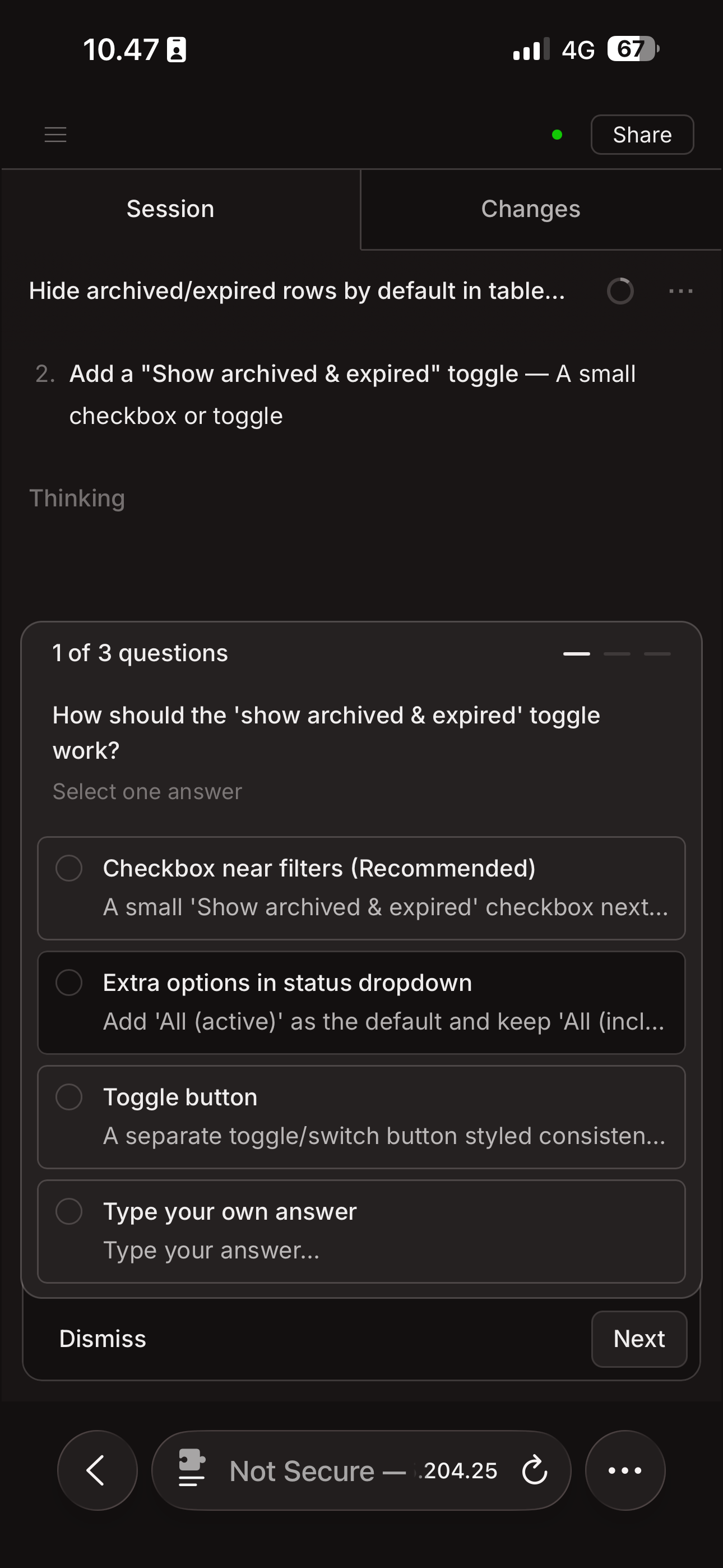
The web interface is responsive enough to use on a phone screen. It's not the same as sitting at a desk with a proper keyboard, obviously. But for quick tasks like checking logs, asking the AI to explain some code, running a deploy, or fixing a typo in a config file, it works surprisingly well.
The sessions persist between devices too. I can start something on my phone and pick it up later from my laptop's terminal using opencode attach http://localhost:4096.
Why not just use SSH?
I tried SSH from my phone for months. The keyboard is the problem. You're typing commands character by character on glass. Autocorrect mangles everything. Tab completion helps, but it's still slow and error-prone.
OpenCode Web lets me describe what I want in plain English, and the AI handles the file edits and commands. On a phone, that's the difference between fighting the interface and actually getting things done.
Security
Tailscale traffic is encrypted with WireGuard. The connection between my phone and VPS is point-to-point, not routed through any central server. Nobody can sniff the traffic.
The Basic Auth password adds a second layer. Even if someone got onto my Tailscale network, they'd still need the password.
The port is on 0.0.0.0, which means it's also on the public IP. If that bothers you, you can bind to the Tailscale IP specifically:
opencode web --hostname 100.101.102.103 --port 4096
That way the service only listens on the Tailscale interface and is completely invisible from the public internet. I haven't done this yet because the password feels like enough, but it's there if I want it.
Quick reference
# Service management
systemctl status opencode-web
systemctl restart opencode-web
systemctl stop opencode-web
journalctl -u opencode-web -f    # live logs

# Access URL (from any device on Tailscale)
# http://100.101.102.103:4096

# Attach a terminal TUI to the running web server
opencode attach http://localhost:4096
That's it
The whole setup took about 10 minutes. One service file, two systemctl commands, and I had a full AI coding environment accessible from my phone. No complicated infrastructure, no cloud IDE subscription, no fumbling with SSH on a touchscreen.
I've been using it for a few days now. Things that used to wait until I got back to my desk now get done in the moment.